

Is it actually true that a smart thermostat pays for itself just by “learning” your routine? You’ll save the most when the design matches your space: solid occupancy sensing, tight scheduling, and clean app control that doesn’t demand constant tweaks. But before you pick a sleek Nest or an ecobee, you need to confirm wiring, HVAC type, and zones—because the wrong fit can erase the value you’re counting on…
Features in a Smart Thermostat That Cut Bills
Although every smart thermostat promises savings, the ones that actually cut your bills do it with a tight set of features: adaptive scheduling that learns your routine, occupancy sensing that backs off when no one’s home, and geo-fencing that shifts temperatures as you come and go.
Look for clear, at-a-glance dashboards that show daily runtime and cost trends, so you can tune setpoints without digging through menus.
Choose room sensors if you live in a small-but-split layout; they let you condition the spaces you use, not the whole home.
Pair settings with Energy efficient insulation to lock in gains and shorten cycles.
If you’ve got a bright window or off-grid shed, Solar powered thermostats keep controls running and consistent.
Prioritize simple presets, fast overrides, and quiet, minimal hardware.
Check HVAC Compatibility First (C-Wire, Heat Pumps, Zones)
Before you fall for a sleek faceplate or a slick app, check your HVAC wiring and system type so the thermostat actually works—and saves you money.
Start by confirming HVAC compatibility: gas, electric, boiler, or heat pump. Heat pumps often need O/B reversing-valve support and sometimes auxiliary heat control; pick a model that labels these terminals clearly.
Next, look for a C-wire. Without it, you may need a power adapter or a thermostat designed for low-draw setups, which affects your install footprint behind the wall.
If you’ve got multiple zones, verify the thermostat can manage separate dampers or work with your zone controller.
Good smart wiring means clean terminal labeling, slim backplates, and fewer add-on boxes, keeping your wall tidy and your budget intact.
Best Smart Thermostats to Lower Energy Bills
Now that you’ve confirmed HVAC compatibility, you can pick a smart thermostat that looks clean on the wall and pays you back on every bill.
You’ll compare top energy-saving models built for tight scheduling, room sensing, and utility-rate awareness.
Then you’ll focus on cost-cutting features like adaptive learning, geofencing, and usage reports that turn small tweaks into real savings.
Top Energy-Saving Models
When you pick the right smart thermostat, you’ll cut wasted heating and cooling without cluttering your walls or your budget. Look for slim profiles, glass faces, and muted finishes that blend into clean lines and tight hallways.
For maximum savings, choose models with strong efficiency reputations: Google Nest Learning Thermostat for hands-off optimization, ecobee Smart Thermostat Premium for balanced performance, and Honeywell Home T9/T10 for dependable comfort in larger zones.
If you prefer a minimal display, Emerson Sensi Touch keeps the look modern and the price sensible.
Prioritize Voice control and remote access so you can adjust temps from the sofa or on the commute.
Pick the model that matches your décor, HVAC, and room layout best.
Cost-Cutting Smart Features
Although a sleek thermostat can elevate a hallway or kitchen nook, the real savings come from smart features that quietly trim waste without demanding your attention. You’ll cut run time with adaptive scheduling that learns your routines, then auto-dials back when rooms sit empty.
Geofencing helps too, shifting to away mode when you leave, so you don’t heat or cool square footage no one’s using.
Look for room sensors that balance comfort across tight layouts, preventing one overworked zone from driving up costs. Voice control lets you nudge temps hands-free while cooking or settling in, avoiding wasteful “set-and-forget” extremes.
Finally, prioritize Connectivity options—Wi‑Fi plus Matter or robust app integrations—so you can monitor usage, set limits, and get alerts before small inefficiencies become big bills.
Best Smart Thermostats for Apartments and Renters
If you’re renting or working with tight square footage, you still don’t have to settle for a clunky, wall-dominating thermostat to cut utility costs. Look for compact, low-profile models with clean bezels, muted finishes, and app-first control, so the “hardware” fades into your décor while the savings stay visible.
Before you swap anything, check Tenant rights and your Rental agreements: you may need written permission, or you may be limited to non-permanent installs.
Prioritize thermostats with easy compatibility checks, labeled wiring bases, and reversible mounting plates that cover old paint lines. If your building won’t allow rewiring, choose a smart model that works with your existing system and supports schedule automation, geofencing, and usage reports.
You’ll keep comfort tight and bills tighter.
Best Smart Thermostats for Multi-Zone Systems
Look for interfaces that let you label zones by function—office, nursery, gym—so you manage comfort like lighting scenes.
Zone specific programming should be simple to edit, with clear heat/cool calls per zone and polished, compact wall hardware that doesn’t clutter tight hallways.
Prioritize brands with strong HVAC compatibility, pro-level wiring support, and expandable sensor packs, so you add zones without replacing the whole system later.
Smart Thermostat Settings That Save Most (Schedules, Geofencing)
Where do the biggest utility savings hide—in the thermostat’s hardware or its settings? Mostly in settings you actually use. Start with Temperature scheduling: set a tighter comfort window when you’re home, then let temperatures drift when you’re asleep or out. Even a few degrees for 6–8 hours stacks up, and it costs nothing.
Next, lean on geofencing. Your thermostat can downshift automatically when your phone leaves the radius, then pre-condition just before you return, so you don’t heat or cool empty rooms.
Keep the design clean: one “Home,” one “Sleep,” one “Away” schedule beats constant manual tweaks. Finally, use Vacation mode the moment you book travel; it maintains safe minimums without wasting energy on comfort.
Smart Thermostat Rebates and Energy Reports (Prove Savings)
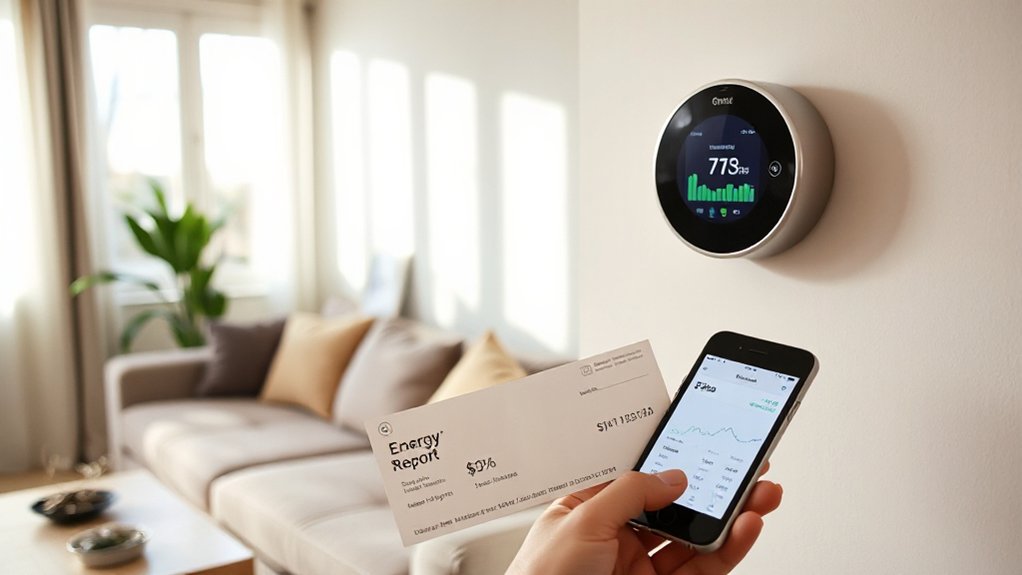
Now you can cut upfront cost with utility rebates—if you meet eligibility rules like approved models, enrollment, and installation details.
Then you’ll use built-in energy reports to track runtime, compare periods, and document real kWh and dollar savings.
Pair the rebate with that proof, and you’ve got a cleaner purchase decision and a tighter ROI story.
Utility Rebates And Eligibility
How do you trim utility bills even faster with a smart thermostat? You stack savings with Utility rebates, but you’ll need to meet the utility’s eligibility criteria. Start by checking your provider’s marketplace or efficiency page; many require a qualifying thermostat model, Wi‑Fi connectivity, and a compatible HVAC system (often central air or heat pump).
Some programs limit rebates to primary residences, specific rate plans, or service territories, and they may cap one device per address.
Keep it clean and space-conscious: buy through approved retailers, save your receipt, and register the device under the service address. If your utility offers instant discounts at checkout, you’ll skip forms and get the value upfront, faster.
Energy Reports And Savings Proof
Two clean artifacts can make rebates—and ongoing savings—much easier to claim: your smart thermostat’s energy report and a clear baseline utility bill. Export monthly PDFs or screenshots that show runtime, setpoints, and estimated kWh impact, then archive them in one folder so you can attach proof fast.
To demonstrate real savings, compare the same months year over year, adjusting for weather with your utility’s degree-day notes when available. Highlight reduced HVAC run time and lower peak usage; that’s the story rebate programs want.
If your thermostat integrates with Home automation, log occupancy, window sensors, and schedule changes to explain why energy consumption dropped. Keep charts simple: one page, bold totals, and a short caption. You’ll save space, time, and money.
Conclusion
Choose a smart thermostat that looks sharp on your wall and works hard behind the scenes. You’ll cut bills fastest with adaptive learning, occupancy sensing, and app control—especially after you’ve confirmed HVAC compatibility (C-wire, heat pump, zones). Set schedules, enable geofencing, and review energy reports so you can fine-tune without wasting comfort. Stack utility rebates on top, and you’ll get more value per square foot—while saving money hand over fist.